If you've been coding with AI for the past year, you already know the drill. You fire up Claude Code, describe what you want, then wait. You watch a cursor blink while the model thinks. You stare at a diff and review it. You paste an error back in. You wait again.
The bottleneck isn't you. It isn't the model's intelligence, either. It's the fact that you're running one agent at a time — a queue of one, serialized by whichever CLI happens to be open in your terminal. Every minute you spend waiting is a minute where the other agents on your team (Gemini, Codex, Aider, Cursor Agent) could be shipping something else.
That's the gap Lemonade was built to close. This guide walks through how to run multiple AI coding agents in parallel without drowning in tmux splits, VS Code tabs, and lost context.
The single-agent bottleneck
Modern AI coding tools are extraordinarily capable, but they all share one flaw: they assume you have their undivided attention. You open the terminal, type a prompt, and the agent takes over until it finishes or asks for confirmation. While it works, you wait. While you think, it idles.
For small tasks this is fine. For a real day of shipping — where you're debugging one feature, scaffolding a new one, writing tests for a third, and researching a fourth — it's a disaster. Context-switching between a single terminal and a pile of browser tabs is exhausting.
The workaround most devs reach for is tmux or multiple terminal windows. That sort of works. But the real friction isn't the grid — it's coordination. You need all agents pointed at the same working directory. You need to know which one is asking for a y/n confirmation. You need to compare their output without alt-tabbing yourself into a coma.
What "multi-agent development" actually means
Multi-agent development isn't about running the same prompt through five models and picking the best answer. That's a benchmark, not a workflow.
The useful pattern is different: you delegate different tasks to different agents simultaneously, and you use their individual strengths. Claude Code is exceptional at long-running refactors and careful diff work. Gemini CLI has a huge context window and handles multi-file research beautifully. Codex is fast and cheap for boilerplate. Aider is surgical for targeted edits with git-aware commits.
When you run them side-by-side on the same codebase, you don't get redundant answers — you get three features shipped instead of one.
The question isn't "which AI is best?" It's "which AI is best for this task, right now?"
Lemonade Workspaces: one grid, up to 16 agents
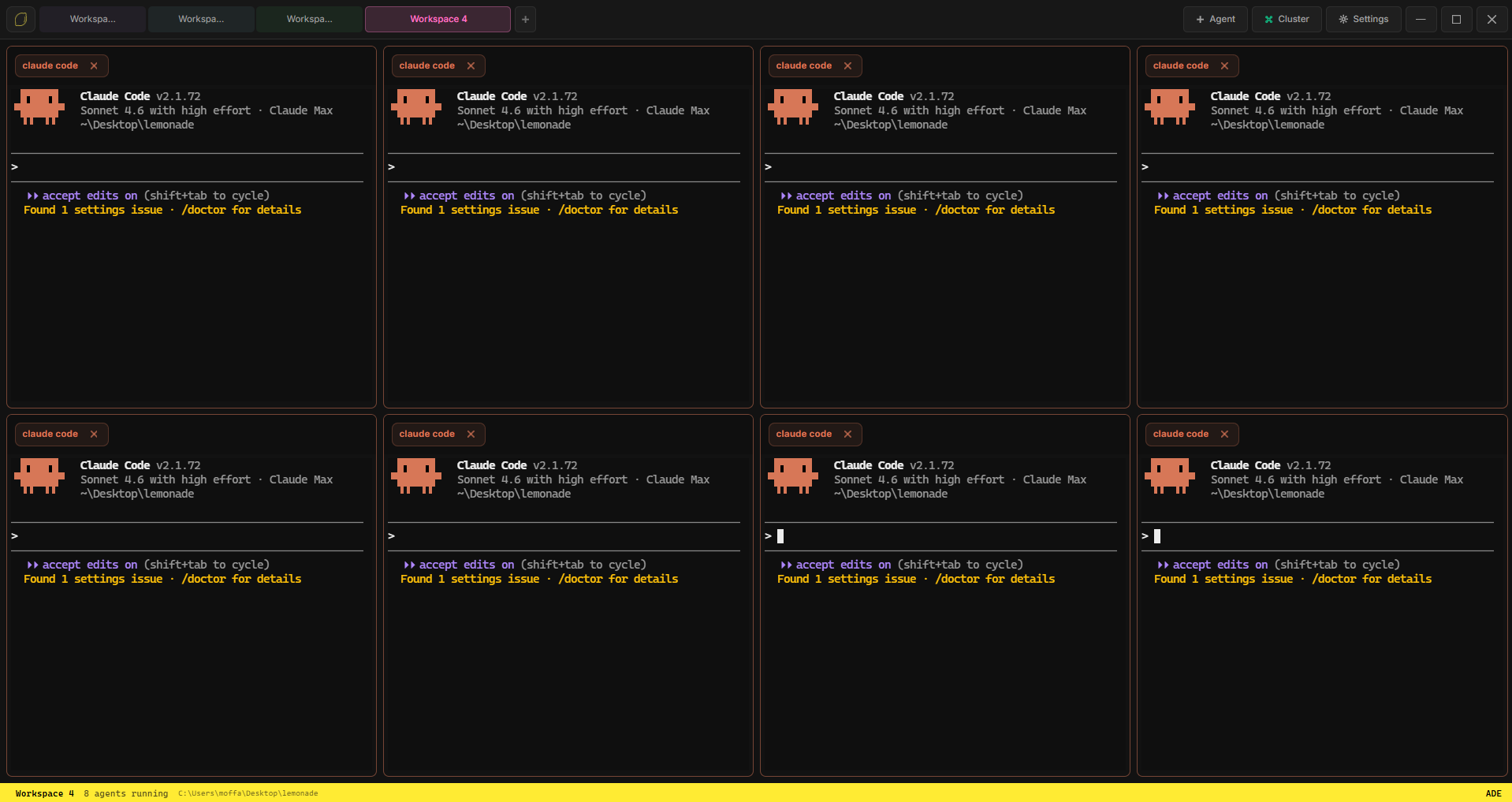
Lemonade's Workspace is a configurable terminal grid that launches up to 16 AI coding agents simultaneously, all pointed at the same project directory. Every cell is a full PTY — real terminals, not simulations — so anything you'd do in a regular shell (including piping, Ctrl+C, clipboard copy, scrollback) works exactly the same.
When you launch, Lemonade:
- Spawns one shell per cell in parallel.
- Types your selected agent's start command after a short delay (to let the shell initialize).
- Streams every agent's output into its own WebGL-rendered terminal.
- Auto-fits each terminal on window resize with a two-phase resize that keeps PTY dimensions synced.
You can launch 1 agent, 2 agents, or all the way up to 16. The grid reshapes automatically — a 2-cell view splits horizontally, a 4-cell view goes 2×2, a 6-cell view goes 3×2, and so on up to 4×4 for a full sixteen-agent spread.
Picking the right agent for the right task
There's no single right answer, but after a few weeks of running parallel agents you'll develop a taste for which tool to reach for. Here's a starting point:
Claude Code — the architect
Best for: multi-file refactors, careful diff work, long-context reasoning, anything where "do the right thing" matters more than speed. Claude Code's ability to hold a large mental model of the codebase makes it the natural pick when a task spans five files and you need the changes to stay consistent.
Gemini CLI — the researcher
Best for: sweeping questions across a codebase ("where is auth handled?"), summarizing long files, reading documentation you pasted into the repo. Gemini's enormous context window means it rarely complains about payload size.
Codex CLI — the sprinter
Best for: boilerplate, test scaffolds, utility functions, "write me a function that does X" tasks where you already know what you want and just need it typed out. Fast, cheap, reliable.
Aider — the surgeon
Best for: targeted, single-file edits that you want committed to git in a clean, reviewable form. Aider's built-in git awareness means every change arrives as a proper commit, which is a dream for async code review.
Cursor / OpenCode / custom CLIs — the wildcards
Lemonade also supports Cursor Agent, OpenCode, and any custom CLI you want to wire up. If it runs in a terminal, it runs in Lemonade.
Workspaces: one window, many projects
A single Lemonade Workspace holds one project, one working directory, and up to 16 agents. But you rarely work on one project at a time. The Workspace tab bar — at the top of the titlebar — lets you keep multiple projects open, each with its own grid, its own agents, and its own launched state.
Tabs support drag-reorder, double-click-to-rename, right-click context menus, and color coding (eight colors cycle automatically so you never get two blues in a row). When you switch tabs, Lemonade saves a full snapshot of the outgoing workspace — grid size, sessions, working directory, the lot — and restores the incoming one.
Under the hood, PTYs don't die when you switch tabs. They keep running in the background. Claude can be chewing on a refactor in Project A while you pop over to Project B to fix a CSS bug, and when you come back Claude is still there, mid-sentence, right where you left it.
Attention detection: never miss a y/n prompt
The other hidden cost of running many agents is interruption. Agents pause for confirmation more often than anyone admits — "run this command? [y/n]", "apply this diff? [y/n]" — and if you're not looking at that specific terminal when it happens, the agent just sits there, blinked at by a cursor, waiting forever.
Lemonade's attention detection solves this. Every PTY chunk is scanned for confirmation prompts via a regex that matches common y/n patterns. If a background tab hits one while you're looking elsewhere, that tab glows amber with a soft pulsing halo. The active tab never flags itself (you'd see it anyway), but you'll never miss a request from a background agent again. The glow clears automatically when you switch to the tab.
Pinned workspaces: configurations that survive restart
Once you land on an agent combination that works for a specific project — say, Claude + Gemini + Aider for your main app — you can pin that workspace. Pinned workspaces are persisted to local storage (not tied to any specific session) and restore automatically when you open Lemonade the next day. Open the app, click the pinned tab, hit launch, and you're back to exactly where you were.
A real-world multi-agent workflow
To make this concrete, here's a workflow we run most mornings:
- Cell 1 (Claude Code): start a refactor on the auth module. This will take 10–15 minutes with lots of back-and-forth.
- Cell 2 (Gemini CLI): "read everything in
src/components/and list which components accept athemeprop." Pure research while Claude is thinking. - Cell 3 (Codex CLI): "write Jest tests for the
useLocalStoragehook." Fast, done in two minutes. - Cell 4 (Aider): "fix the typo in
README.mdwhere it says 'installing' instead of 'installation', and commit." Surgical.
Four tasks, four models, roughly 15 minutes of elapsed time instead of an hour. And because each agent runs in its own isolated terminal, you can watch them all without scrolling through an intermingled log.
Ship fast, merge carefully
The natural question is: if four agents are editing the same codebase at once, don't they step on each other? The honest answer is: sometimes, yes. Parallelism buys speed but demands discipline.
A few rules we've internalized:
- Scope each agent narrowly. Don't tell two agents "improve the auth flow." Tell one "refactor the session token handler" and the other "add tests for the login form."
- Commit frequently. Small, atomic commits from each agent make conflicts trivial to resolve. Aider does this natively; for Claude Code, ask it to commit at logical checkpoints.
- Review before you merge. Multi-agent output is productive exactly because it's varied. Skim every diff. Kill what doesn't belong.
- Use one agent per file. Easiest rule of all. No merge conflicts, no wasted work.
Start running agents in parallel today
If you've been waiting for a cleaner way to run multiple AI coding tools at once — without tmux gymnastics or a dozen open terminals — Lemonade is that way. It's a one-time $5, yours forever, all features included. Download it, point it at your project, and launch as many agents as you can handle.
Your cursor will thank you for the rest.