// Canvas Nodes
Full PTY terminals with any AI agent. Drag, resize, pin in place. Zero constraints on layout.
Multi-agent containers. Pack up to 8 terminals in one draggable grid. Add and remove agents on the fly.
Annotate your workflow with color-coded notes. 7 colors. Resize freely. Perfect for context, TODOs, or architecture decisions.
Drag images, PDFs, and audio files straight onto the canvas. PNG, JPG, GIF, WebP, SVG. Aspect ratio locked on resize.
Embed a live web browser right on the canvas. Full address bar, back/forward, refresh. Preview your work without leaving Studio.
0.25x to 3x zoom. Trackpad pinch, Ctrl+scroll, or keyboard shortcuts. Infinite canvas — no edges, no limits.
Interactive to-do lists pinned anywhere on the canvas. Check off tasks, track progress, and keep your agents on mission.
// How it works
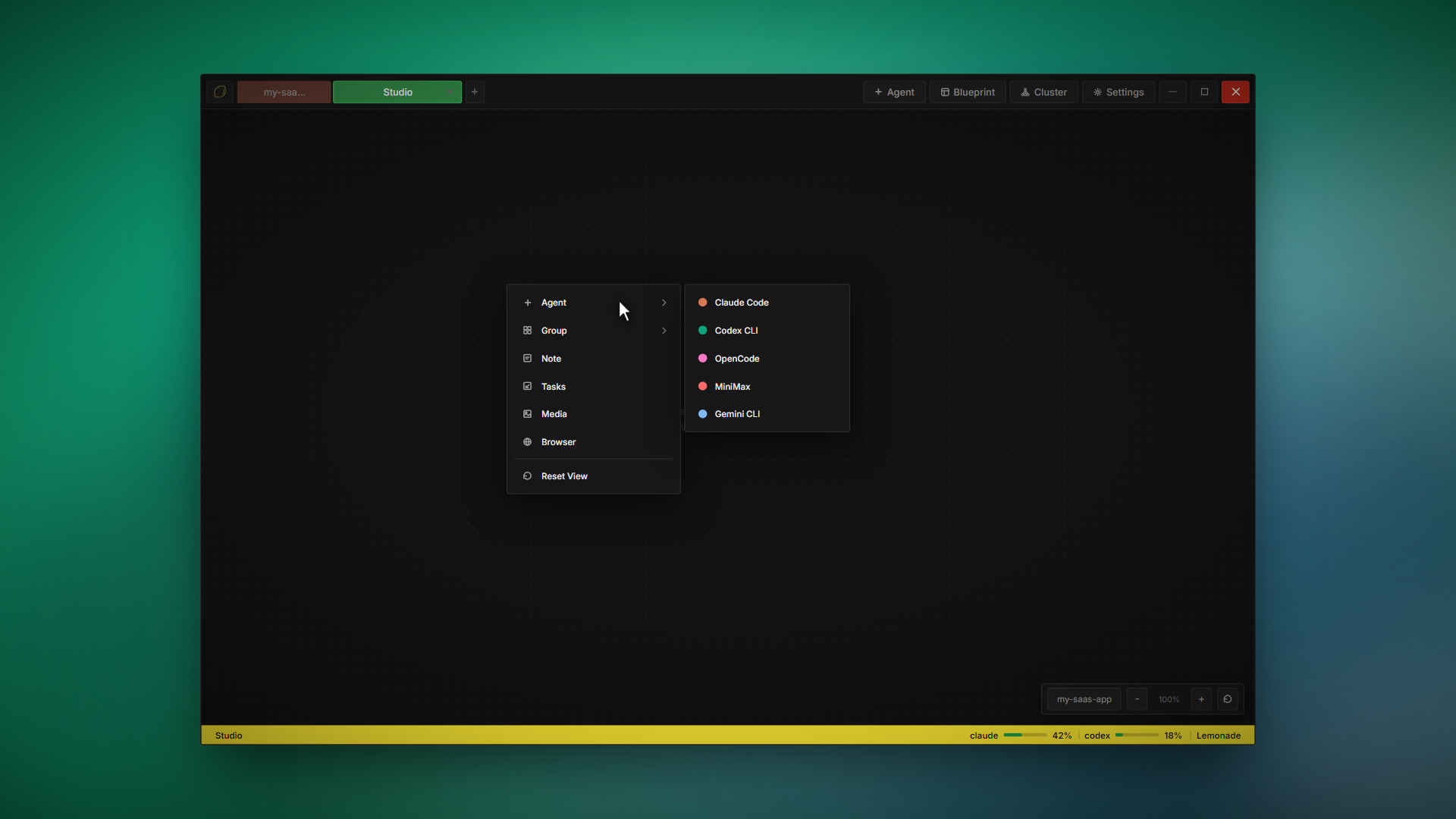
Right-click anywhere on the canvas to spawn terminals, groups, notes, images, or browsers. Drag to position. Resize from any edge. Pin to lock. That's it.
Right-click the canvas
Context menu with all node types. Pick an agent, set a group size, or drop a note.
Drag and resize freely
Every node is draggable from its header. Resize from any edge or corner. Double-click to pin.
Pan, zoom, navigate
Click empty space to pan. Ctrl+scroll to zoom. Ctrl+0 to reset. The canvas is infinite.
// A workflow for everyone
Structured grid. Up to 16 agents in fixed positions. Fast to launch, easy to manage.
Split-pane design mode. Terminal + live preview side by side for visual work.
Infinite canvas. Terminals, notes, images, browsers — anywhere you want them.
Agent swarm. Multiple agents collaborating on the same task in parallel.
All four modes included in every license. Switch anytime.